
(6) Submitting your claim
There are two main ways in which you can submit a claim to Access to Work. Following the links below to learn about:
Checking your invoice
Claiming online
Claiming by post
Checking your invoice
Before you start, make sure you’ve received an invoice (and if coaching has been pre-paid, also a timesheet) from your coach and that it’s correct, in particular:
The invoice (and timesheet) includes your name.
The hourly rate matches what you were awarded in your grant letter.
The number of hours and dates (or time period) claimed for is accurate.
Please also check that the invoice payment request you’ve received is genuine - has it come from an email address you expected it to and do the payment details match what your coach shared with?
And remember to check your spam folder, the invoice might be lurking there!
When you work with me, please look out for an email from Alicja Nocon <noreply@remailer.freeagentcentral.com> that looks like the screenshot below.
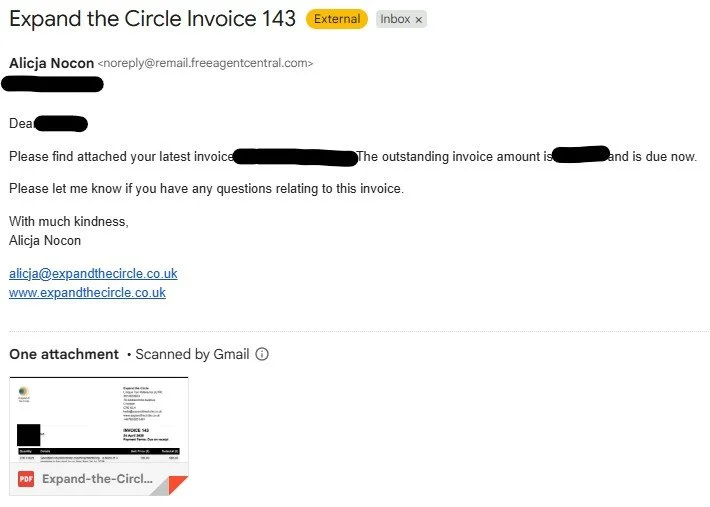
Screenshot of an email requesting invoice payment
Claiming online
1. Create, or login to, your account:
https://www.get-disability-work-support.service.gov.uk/claim
2. Follow the steps below to submit your claim:
Go to 'Start a claim'
Select support type from the list and click 'Continue'
Click 'Start a claim'
Complete the fields as follows:
Month of the support - as per invoice (or timesheet if pre-paid), click 'Continue'
Date of support
Use details in the timesheet (pre-paid): fill out the day(s) of the month reflecting the day the support was provided
Use the date of the invoice (in advance or ‘pro-forma;): select the day of the month the invoice was issued (top right corner on the invoice)
Total hours of support on this day - as per timesheet (pre-paid) or invoice (pro-forma)
Name of your support worker or agency - as per details given to Access to Work (see support type). Otherwise please input: Alicja Nocon t/a Expand the Circle
Continue with the rest of the form. It’s fairly straightforward but do let me know if you run into any issues.
IMPORTANT:
If you're employed (rather than self-employed), you'll need to add your line manager name and email address (or a colleague who can confirm your claim promptly) so that they can confirm the claim via a link sent to the email address you’ve provided.
DO NOT use a generic mailbox address, such as an HR mailbox.
3. Check that you’ve received a confirmation email that your claim has been submitted. It will look something like this:
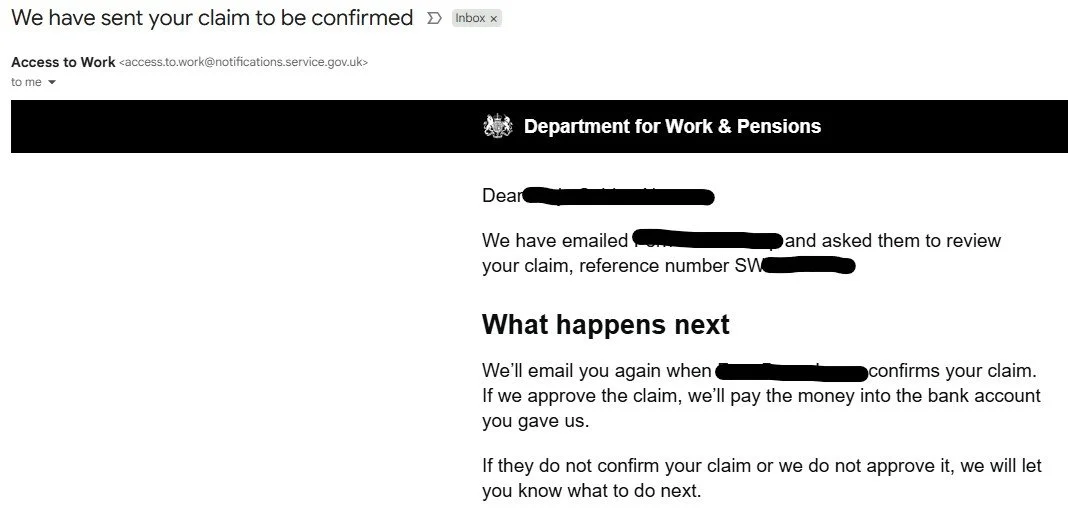
Screenshot of an email with claim submission
4. Ask your line manager (or colleague) to confirm the claim now (this will only take a few minutes to complete).
When they’ve done it, you’ll receive another confirmation email which will look like this:
IMPORTANT:
It’s best to keep (or even save) this email in case there any future issues with your claim. This way you’ll be able to evidence that you’ve done your part!
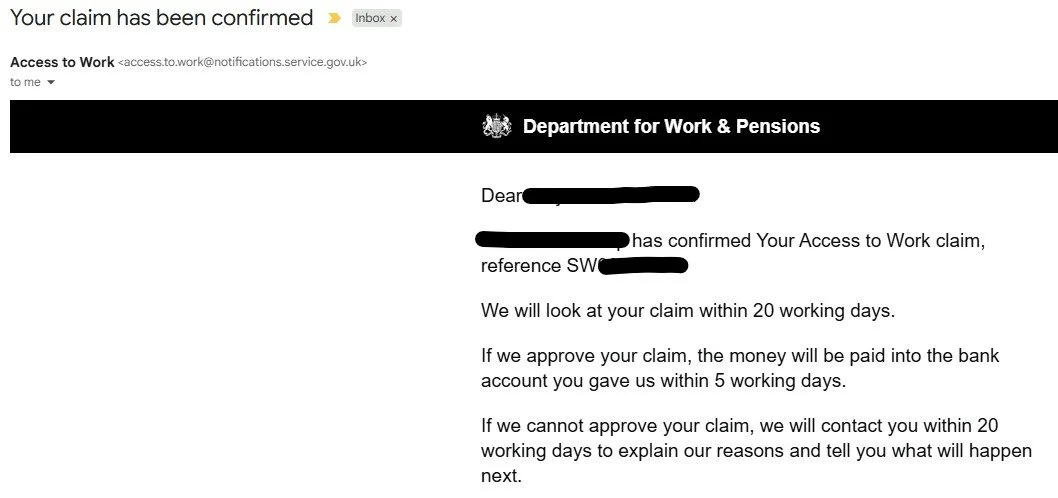
Screenshot of an email with claim confirmation
5. Let your coach know that the claim has been submitted AND confirmed.
6. That’s it, all done!
Claiming by post
Hopefully you won’t need to do it as the process is rather painful!